How to Access and Download Your Empeon ESS Hub Pay Stub
Employee self-service hubs hold your pay statements, tax forms and personal details. Here is how to find a stub, download it properly and keep access from becoming a problem later.

Employee self-service platforms such as Empeon's ESS Hub exist so employees can retrieve their own payroll documents without filing a request with HR. Once you know how these systems are organised, finding a stub takes under a minute.
Signing In
Access comes from your employer, not from the software vendor directly. Your account was created when you were onboarded, usually tied to your work email or an employee number. If the password no longer works, the reset route runs through your employer's payroll or HR contact, since they administer the account.
Be careful with search results here. Several sites advertise portal logins they do not operate. Use the link your employer gave you.
Finding and Downloading the Statement
Self-service hubs group documents by type: pay statements in one area, annual tax forms in another, benefits elsewhere. Open the pay period you need and download the PDF rather than taking a screenshot. Lenders, landlords and benefit offices routinely reject screenshots because they are trivially edited and often omit the header and year-to-date columns that make a stub verifiable.
What to Review Before You Close the Tab
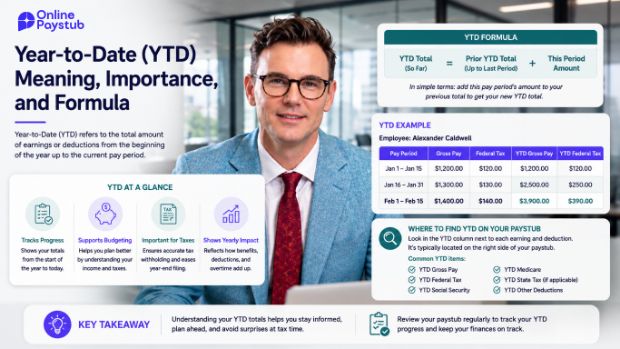
Work down the statement in the same order every time: pay period and pay date, hours and rate, gross pay, taxes, other deductions, net pay, then the year-to-date figures. Following a fixed order is what makes an unusual change obvious, which is the practical value of reading a stub at all.
If a deduction appears that you do not recognise, ask payroll what it is and whether it is pre-tax or post-tax before assuming it is wrong. I walk through the download process and the common access problems in more detail in my guide to the Empeon ESS Hub pay stub for Online Paystub.
Plan for Losing Access
Portal access is tied to employment. Before you change jobs, download your statements for the current year and the final stub from any prior year still available. It takes a few minutes while you have access and saves a formal records request later.